Products and stock, together.
Reuse catalog entries and track inventory and packaging supplies to understand the costs behind your sales.
AI-powered sales tracking for independent sellers
Let AI help with sales screenshots and receipts. Bring sales, costs and expenses together to see what your selling earns.
See how screenshot import worksUp to 300 sales free / 10 AI uses a month / No credit card

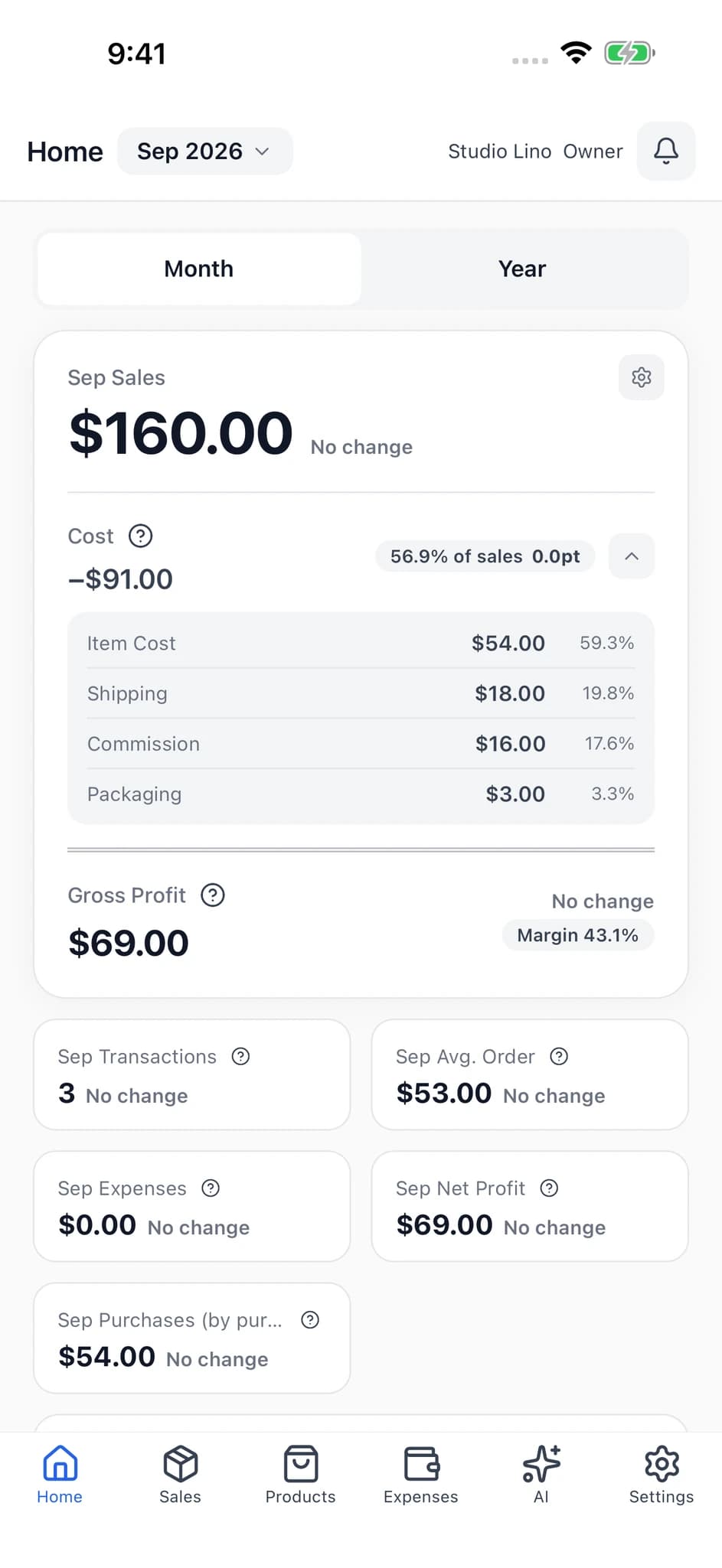
Less work in every entry
Choose an image of a transaction. AI reads details such as the item and selling price, ready for you to review and save.
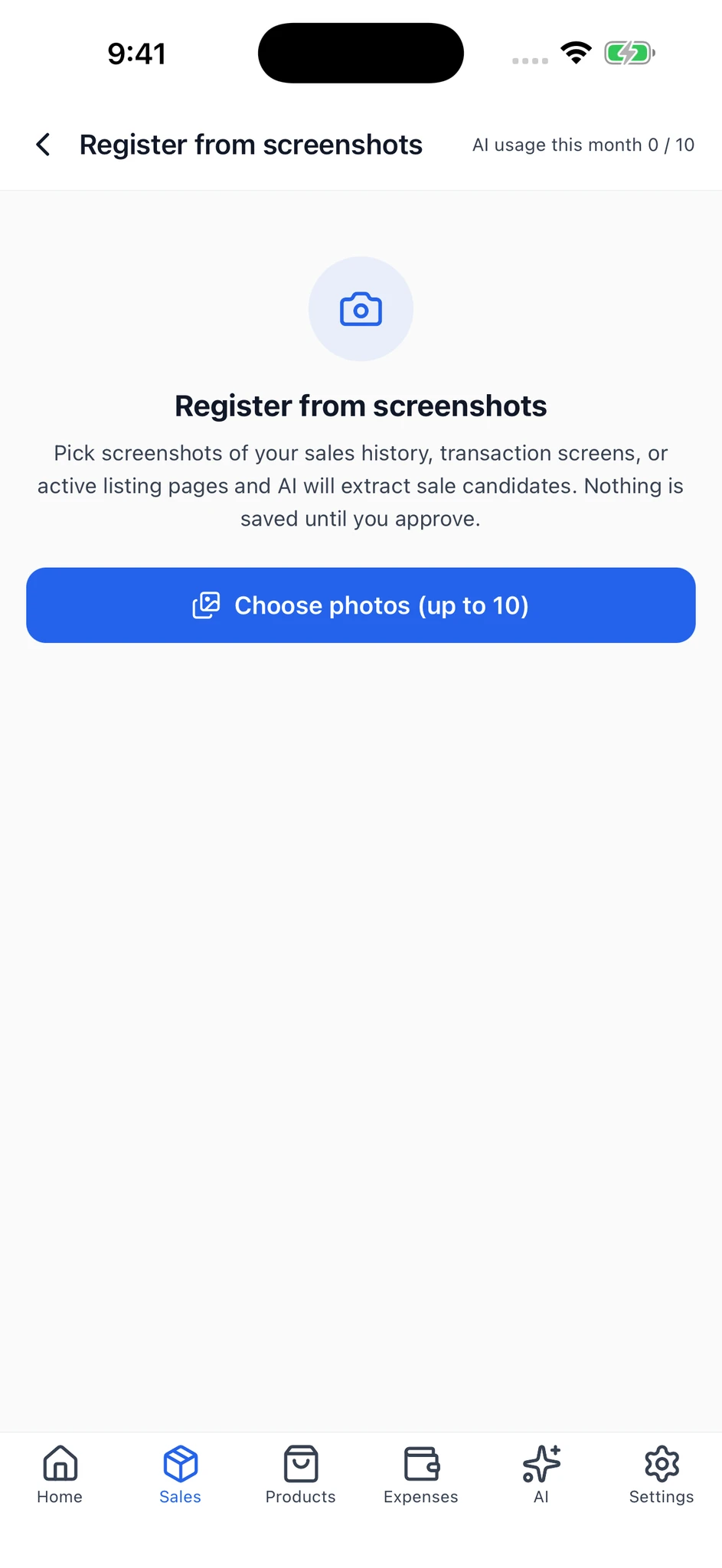
Screenshot import, shown in the app
Use the photo button in the app to select saved screenshots of your transactions.
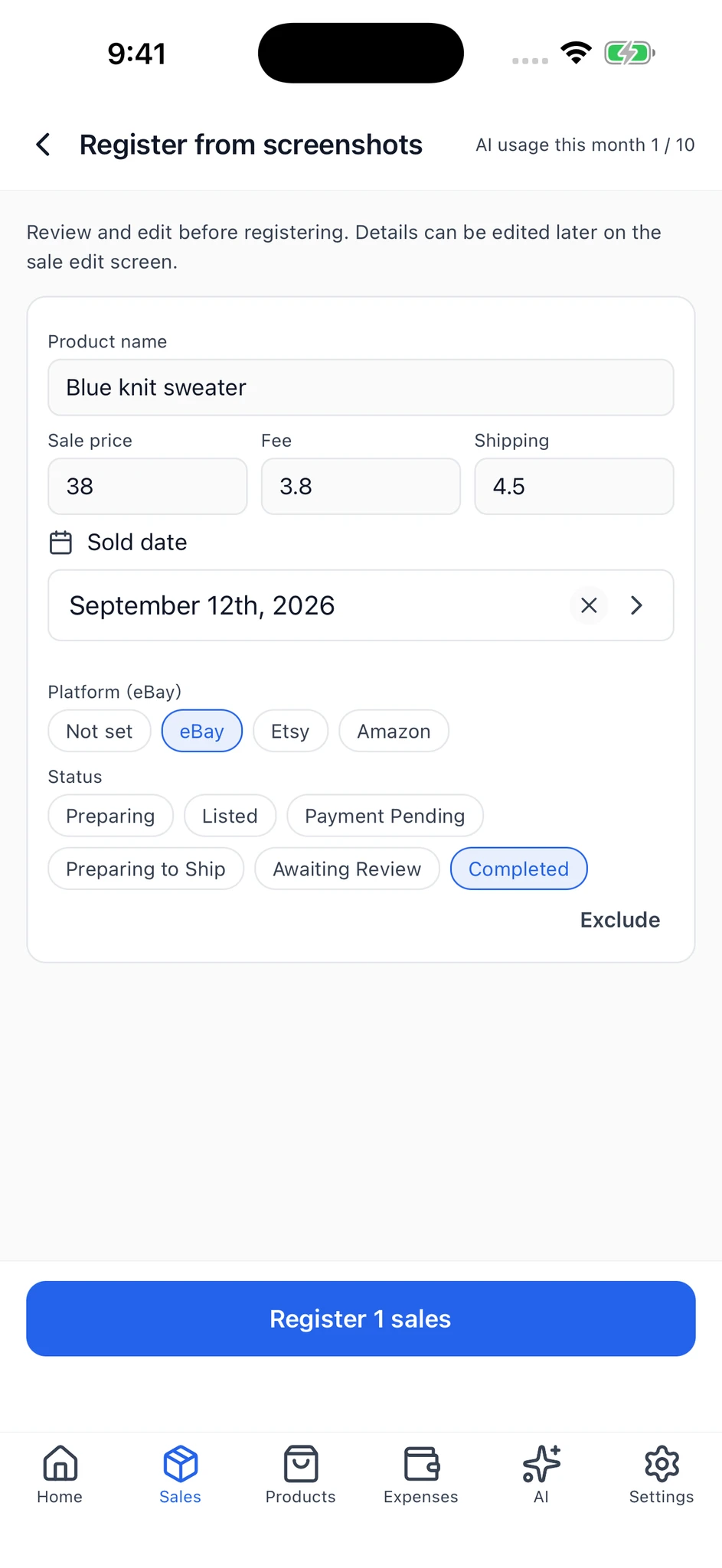
Extracted names and amounts appear in editable fields. Check the details and correct anything needed.
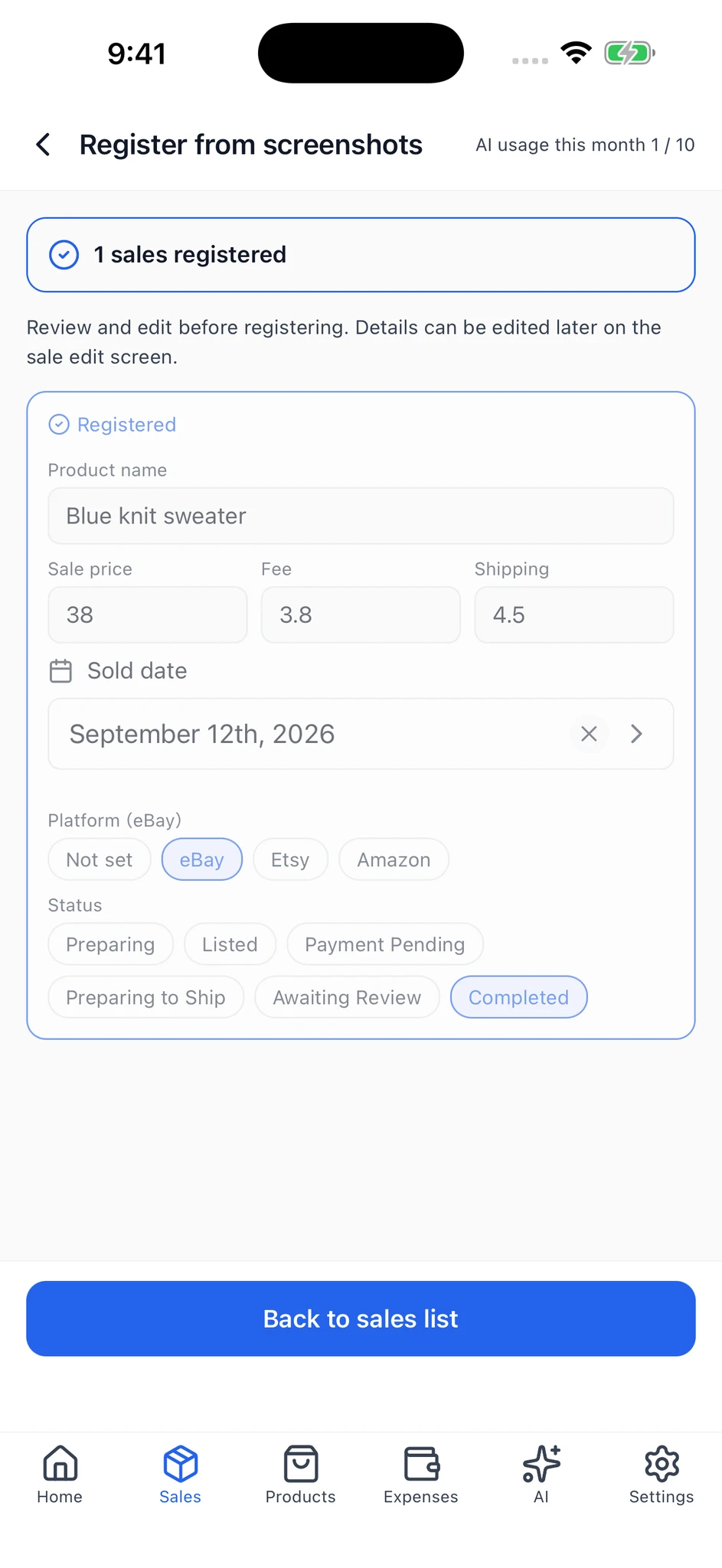
Tap the register button to save the reviewed sales. The screen shows how many were registered.
Add details not found in the image, such as purchase and packaging costs, after registration.
Review and correct AI results. This is not automatic marketplace syncing.
iOS app screens with sample data prepared for photography. Screens and controls may vary by OS and version.Extract details such as the expense name, amount and date. Review them before saving.
Put your records to work
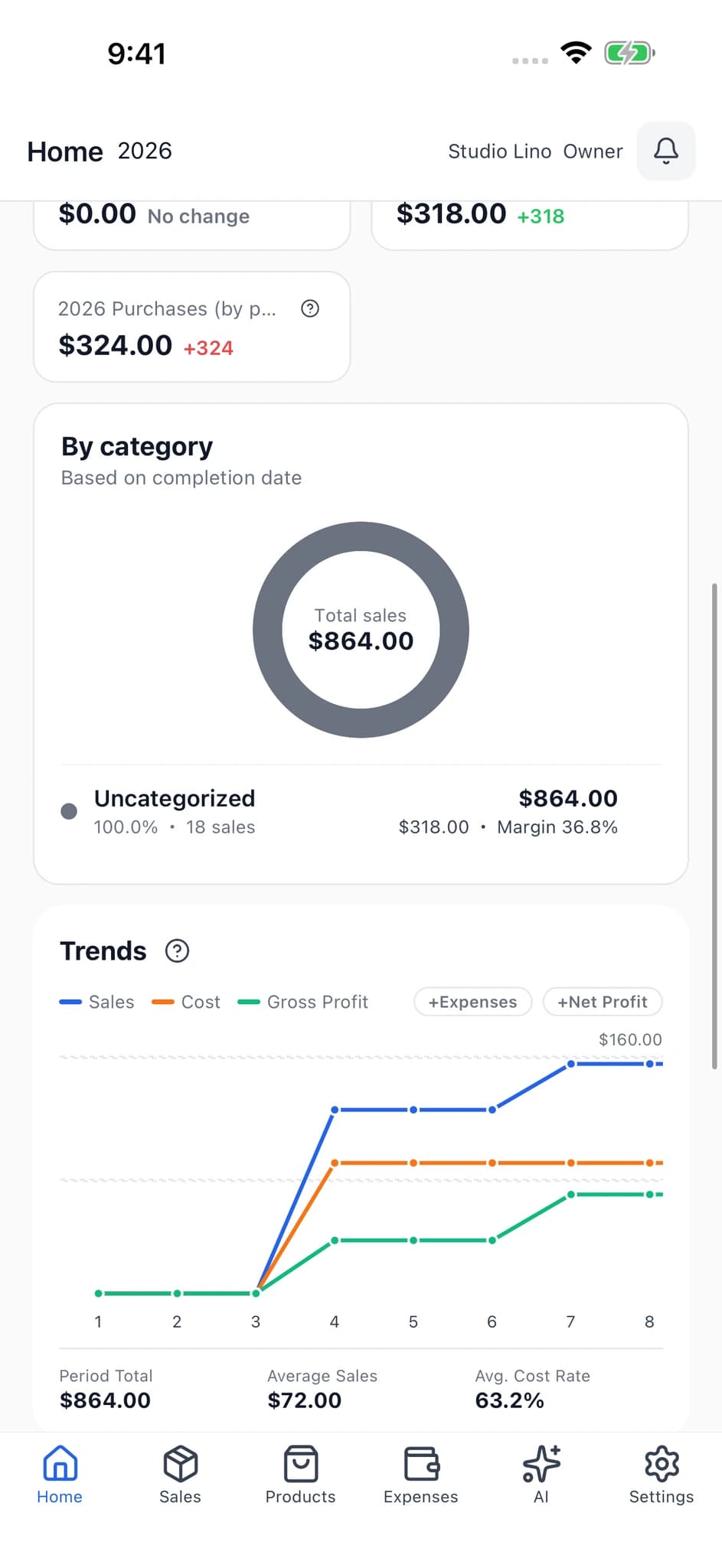
Follow purchase costs, shipping, fees, packaging and everyday expenses alongside sales. Explore trends or ask AI about your data.
Example AI questions. Answers may be inaccurate. Product catalog and inventory features require Plus or Pro.
A workspace that goes with you
Add a record between sales, then take a closer look on the web. Access the same shop data with the same account.
No extra web subscription. Access your plan on mobile and web.
Room for your next chapter
More products, more people. Keep your day-to-day operations together.
Reuse catalog entries and track inventory and packaging supplies to understand the costs behind your sales.
Owner, admin and staff roles keep responsibilities clear. Plus supports 5 people including you; Pro supports 30.
Manage up to 5 shops with Pro. Switch between them to review each shop's sales and operations.
Start at your own pace
Start with sales and expenses. Upgrade when your selling needs more.
Start tracking everyday sales
Start on the free plan
Start for freeBring growing sales and operations together
Billed monthly
Start for freeRun multiple shops with your team
Billed monthly
Start for freePrices shown are for web subscriptions, billed in JPY. Check your app store for in-app prices and offers. Chat and image reading share the monthly AI allowance. Start free and choose a paid plan later if needed.
Questions, problems, and feature requests
Contact supportManage 1 shop on your own with up to 300 sales. This is not a monthly sales allowance. Expense entries are unlimited, and you get 10 AI uses per month. Product catalog, inventory, CSV export and member invitations require Plus or Pro.
Automatic marketplace syncing is not available. Enter sales manually or use screenshot import in the mobile app. Review and correct AI results before saving, then add missing details such as purchase costs afterward.
No extra web subscription is needed. Sign in with the same account to access your shop data and plan. Some workflows, including batch screenshot import, are provided in the mobile app.
Import data exported from the original SellerBook into the SellerBook 2 mobile app. Photo-pack migration is also supported. Check plan limits and follow the migration guide in the app.
SellerBook 2 helps organize everyday sales and expenses. CSV export is available on Plus and Pro. Accounting-software-specific exports and direct tax filing are not supported.
SellerBook 2 uses encrypted connections, shop access controls and member permissions. You can also set up two-factor authentication. An internet connection and an account are required.
SellerBook 2
A clearer record. A clearer view of your selling. Try SellerBook 2 for free.
Up to 300 sales free / 10 AI uses a month / No credit card
Moving from the original SellerBook